Audioenhancer.ai Review (2026): Free AI Voice Enhancer
Maureen Brooks
Freelance Writer
02.12.2024
Updated October 2026: we rechecked the plans, limits, modes and steps against the live Audioenhancer.ai site.
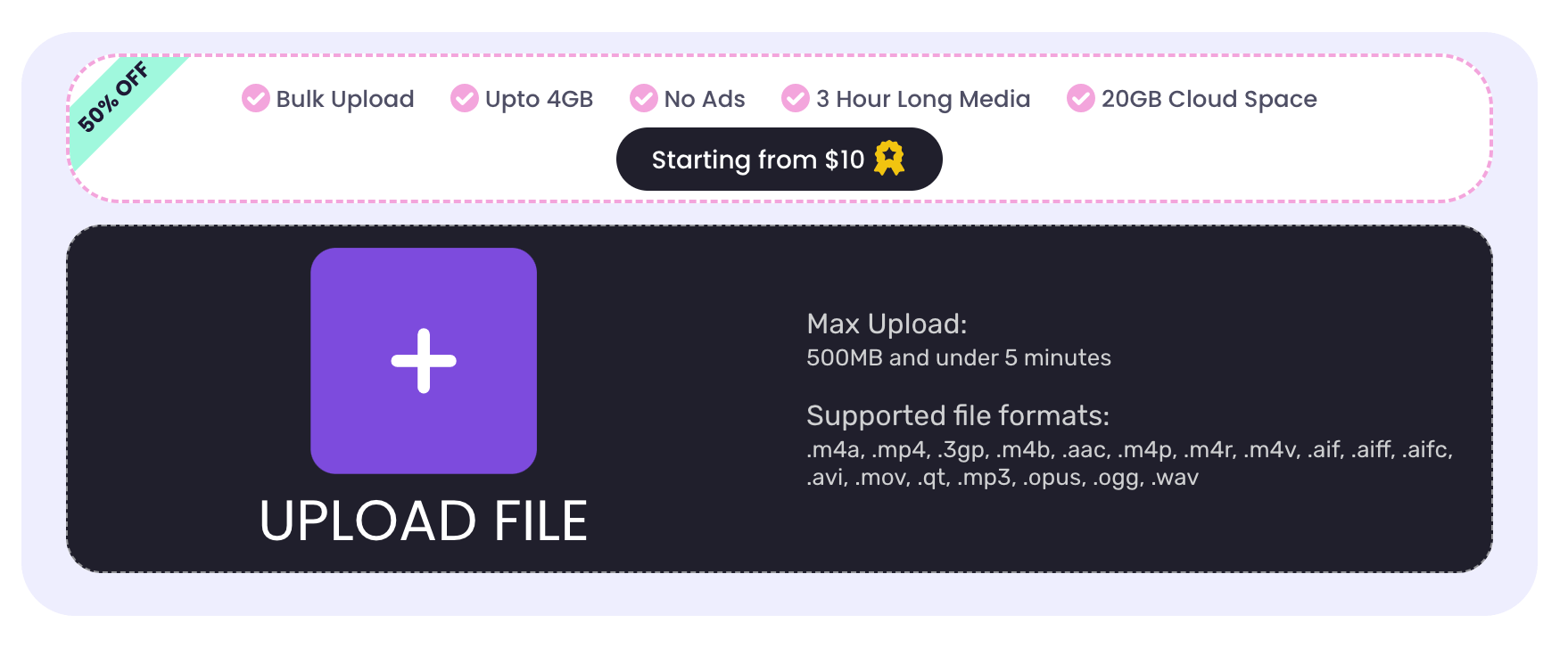
Quick verdict: Audioenhancer.ai is an easy online voice enhancer that cleans up speech, reduces background noise and echo, and fixes loudness without any editing skills. The free plan covers short clips (3 credits a day, up to 5 minutes per file), which is enough for voice notes, short podcast segments and social clips. Longer files, batch uploads, video files and the All in one mode need Premium at $14.99 a month.
Are you looking for a voice enhancer that will improve the audio quality of your videos, podcasts, lectures, reports, and conferences?
Are you looking for a free audio enhancer that will efficiently enhance the quality of your audio files?
Well, I gotta congratulate you cause you are on the right platform!
Today, we are reviewing a free online audio enhancer that is developed using machine learning programming. Audioenhancer.ai is an AI gadget that is pretty famous among its users for audio enhancement and noise removal purposes. So, today we are going to explore the modes, features, and working of this audio enhancer to see if it really deserves the popularity it has.
So, let’s begin our investigation without further delay!
Audioenhancer.ai At A Glance
Price
Free plan; Premium at $14.99 per month
Free plan limits
3 credits a day, up to 5 minutes per file
Premium limits
Files up to 3 hours and 2 GB, up to 5 files at once
Audio formats
MP3, WAV, M4A, AAC, FLAC, OGG, Opus, AIFF, WMA and more
Video formats
MP4, MOV, MKV, AVI, WebM, WMV and more (Premium)
Modes
Clean Speech, Noise Reducer, Fix Loudness, Noise / Echo Remover, All in one (Premium)
Login
Required for Premium
What Is An AI Audio Enhancer?
An AI audio enhancer is a tool that is developed to improve the voice quality of audio, videos, and other media files. It is an intelligent software that can distinguish noises and speech sounds. It thus works by removing the noises and improving the speech sounds, music, and songs. This tool has particularly gained popularity in recent years because of a wide range of content created and posted on the internet to earn money and fame.
What Are The Features Of AI Audio Enhancer?
Audioenhancer.ai has many features that make it a good quality software for audio enhancement purposes. These features are listed below:
AI enhancement
Audio enhancer is an AI tool. The AI enhancement is automated, quick, and precise. It doesn’t require the user to actively participate in the enhancement process by editing, improving, or removing various parts of audio. The user will just upload the file and choose the type of enhancement, and the tool will do the rest on its own.
Noise reduction
The noise reduction is the most important aspect of this tool. It quickly removes all four types of noises from the audio without losing important speech or instrumental sounds. Thus it is the perfect tool for enhancement.
Speech improvement
The speech is improved by increasing its volume, fixing the level of pitch and frequency, and adding clarity to the words. This feature works perfectly for news reports, vlogs, podcasts, and lectures.
Echo reduction
The echo or distortion in the audio makes speech sound less audible. Thus removal of echo or distortion will not only improve the quality of audio but also make it more audible.
Audio clarification
Audio clarification is also a very important feature. It helps to remove noises, background sounds, hums and cries in the audio. It fixes the level of loudness and softness and makes overall audio hearable and comprehensible.
Song advancement
It enhances the songs and music as well. These sounds are usually enhanced by professional editors because most software can’t enhance them professionally. However, this is not the case with AI audio enhancer, it quickly and effectively enhances the songs and music on its own by removing noises and increasing the volume and loudness.
Free & online
This audio enhancer runs in the browser and has a free plan for short files, which makes it an easy first choice for most users.
The features of this AI audio enhancer actually make it a pretty good option for audio enhancements or even audio to animate processes. However, it’s too early to call it the best audio enhancer so let’s continue with our investigation.
What Are The Modes Of AI Audio Enhancer?
There are four main enhancement modes, described below. On the current site they are labeled Clean Speech, Noise Reducer, Fix Loudness and Noise / Echo Remover, and Premium adds an All in one mode that runs all four in sequence.
Improve the quality
The audio enhancer AI is used to improve the quality of the audio by fixing the volume of speech sounds and other useful sounds.
Reduce the background noise
The audio enhancer AI is used to reduce the background noises in the audio that make them of low quality. There are four types of noises:
Continuous noise is the persistent noise that stays consistent in the audio.
Intermittent noise is the one that decreases or increases over time.
Impulsive noise is the one that suddenly occurs in the audio and quickly fades away.
Low-Frequency noise as the name indicates has low frequency and they are in the form of vibrations.
This tool can quickly and effectively remove all these types of noises.
Clean up the speech
This mode of audio enhancer is used to clean up the speech by removing echoes and by adjusting the volume of speech sounds to a certain level.
Fix loudness and levels
This mode helps in fixing the levels of loudness, frequency, pitch, etc. This makes the audio better sounding and professional.
How To Use Audio Enhancer For Voice Enhancement?
Audio enhancer is a simple-to-use tool. It works on its own, the user doesn’t have to edit anything manually so even those with minimal knowledge of technology can use it effectively for enhancement purpose. Following are the steps to use Audioenhancer.ai:
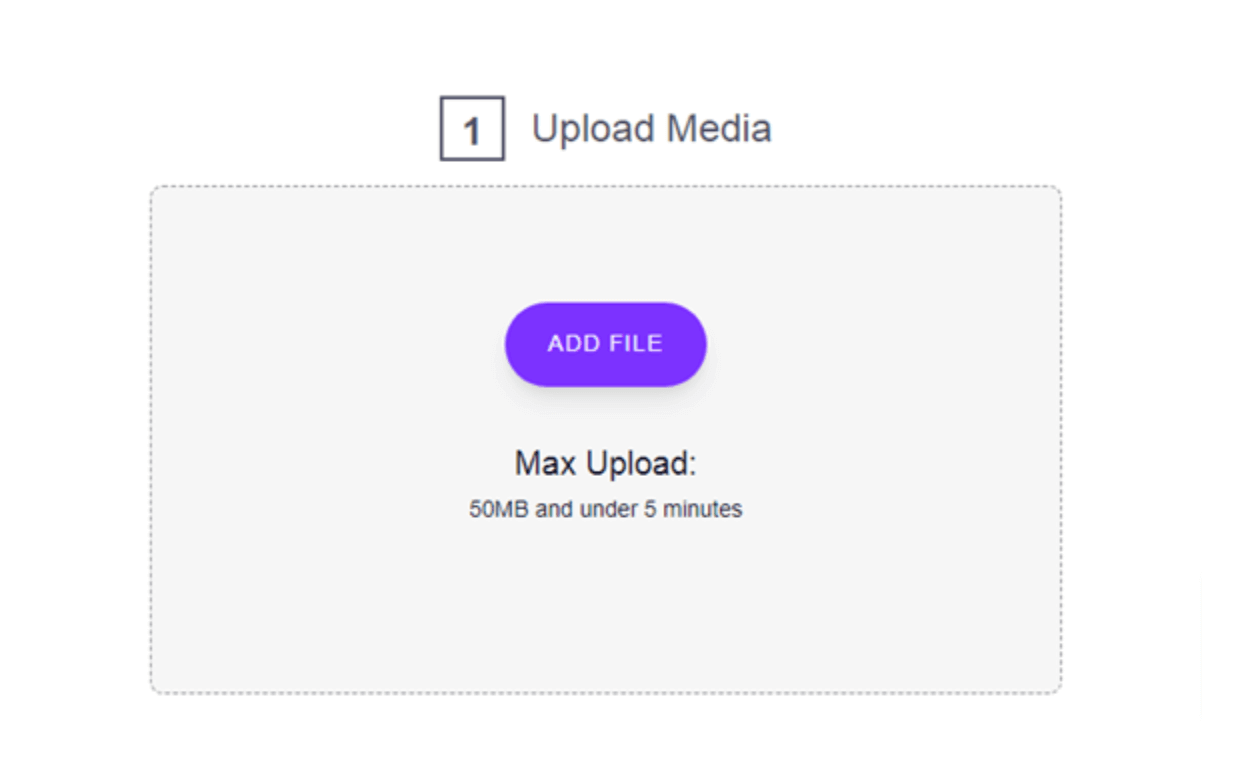
1. Open the AI audio enhancer by visiting audioenhancer.ai.
2. The tool is very simple to use, all the steps are numbered as one, two, and three.
3. The first step is to upload the media file, on the free plan, each file can be up to 5 minutes long (Premium accepts files up to 3 hours and 2 GB).
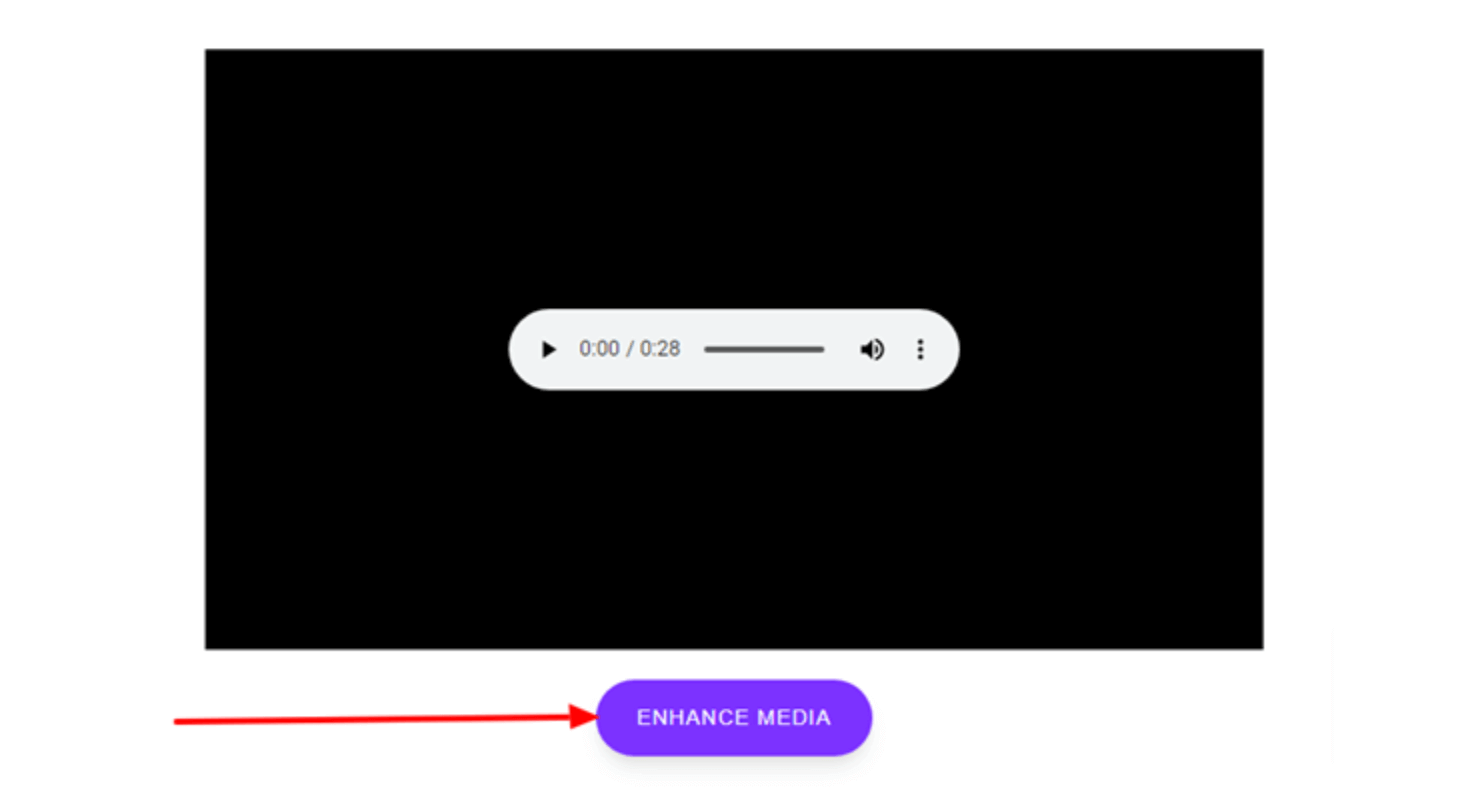
4. The next step is to choose the enhancement mode, such as Clean Speech or Noise Reducer.
5. If the tool asks for a content type, pick the one that matches your file, such as a podcast, video or music.
6. Start the tool by clicking the “Enhance audio” button.
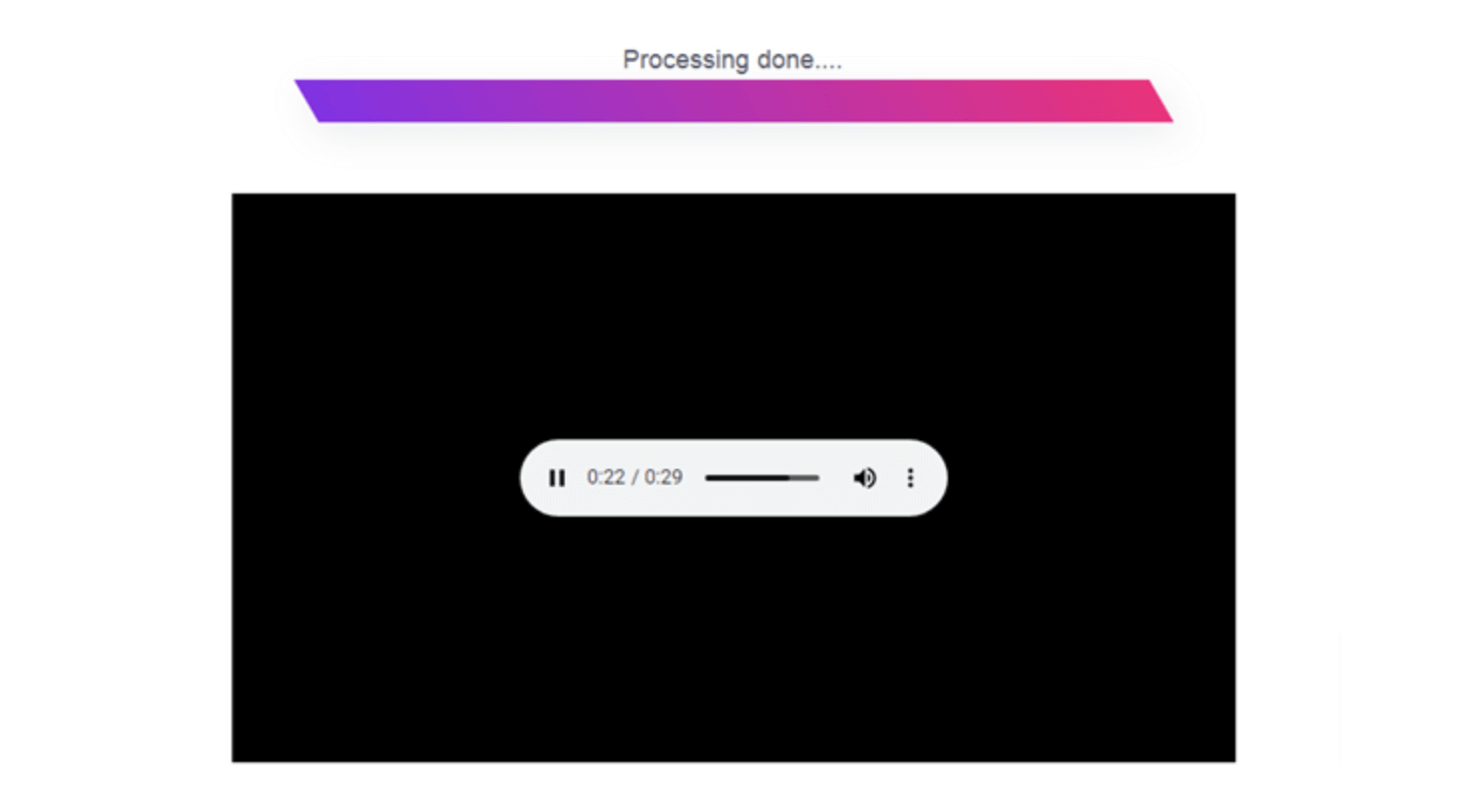
7. Enhanced audio will appear in a new dialogue box.
8. To save the audio click on the three dots menu and press the download button.
Just these simple steps and you will be able to enhance any audio, video, or media file quickly within a few minutes.
Frequently Asked Questions
Is Audioenhancer.ai free?
Yes, there is a free plan. It gives you 3 credits a day for files of up to 5 minutes each, with downloads in the original format. Premium costs $14.99 a month and adds files of up to 3 hours, batch uploads, video files and the All in one mode.
What is the best free AI voice enhancer?
For quick cleanup of short clips without installing anything, Audioenhancer.ai is our pick, because the free plan covers the core jobs: cleaning up speech, reducing noise and echo, and fixing loudness. Adobe Podcast’s Enhance Speech is another well-known option with a free tier. The right choice depends on how long your files are and whether you need video support.
Can Audioenhancer.ai remove background noise from video?
Yes, on Premium. The site lists video formats such as MP4, MOV, MKV, AVI, WebM and WMV under its video option, which is part of the paid plan. On the free plan, you can export the audio track from your video, clean it up in Audioenhancer.ai, and put it back in your video editor.
Conclusion
Audio enhancement is the pressing need of content creator to make their content effective and catchy. This need has given rise to audio enhancers. After reviewing a popular Audio enhancer known as Audioenhancer.ai, its features, modes, and working. We have reached the conclusion that it is the best tool for voice enhancement because it offers strong results online, with a free plan for short files.