The Event Marketer’s Guide to Never Losing Promotional Materials Again
Leandra Sparks
Freelance Writer
29.01.2026
Event marketing – getting products in front of potential clients face-to-face – yields incredible ROI. Customers get the full experience of products firsthand, in a way that digital advertising just can’t beat, and vendors are more likely to get sales and deals.
But while you’re trying to coordinate multiple vendors and venues, drive registrations, and ensure that attendees get the best experience, the physical equipment you’re using is usually back-of-mind.
Display booths, screens, giveaway materials, furniture, and other gadgets are moving from warehouse to shipping trucks and venues, and changing hands between team members and contractors faster than you can keep up with.
After the event ends and you’re counting stock, equipment is missing, or worse, you find out items were damaged from a previous event, too late. Stock you thought depleted is sitting, forgotten, at one of your warehouses, and you’ve already wasted money on replacements.
Mobile phone-based inventory systems are becoming a practical way to address this dilemma. You place QR stickers on equipment, and anyone (contractors, venue coordinators, or warehouse staff) scans them to see and update their condition, location, and availability instantly. They’re incredibly easy to use and don’t require any training. But most importantly, you get real-time visibility into your business assets and help teams significantly reduce equipment loss.
Why legacy event asset management systems don’t help
There’s a ton of asset management systems on the market today, but most of these are complicated to use, require you to train your team members for extended periods, or only work with specific scanning devices.
And often, with these legacy inventory management systems, teams end up paying hundreds or even thousands of dollars for feature sets that are far more complex than what they actually need. The thing is, many of these tools were built for warehouses and just can’t keep up with the fast-moving world of event marketing.
Your team members are not incentivized to actually contribute to inventory management when they have to walk all the way to the office to update spreadsheets and try not to forget which banner got damaged during transport, how many tote bags were actually distributed, or whether the projector made it back into the right shipping crate.
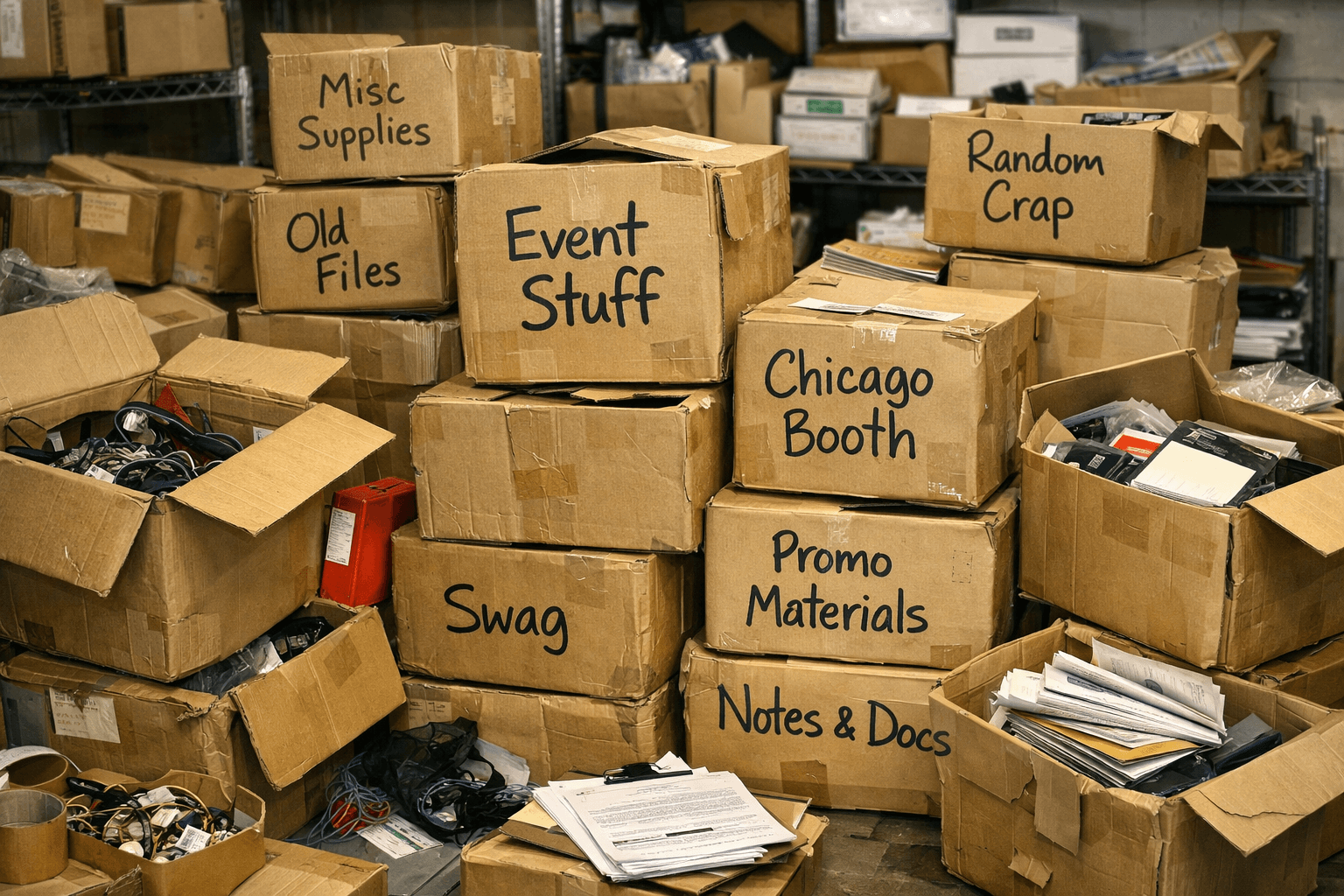
Also, when the alternative is scribbling “booth stuff – Chicago” on a box label, even you will choose the path of least resistance, leaving inventory management outdated or abandoned entirely. That’s where phone-based inventory management comes in.
How smartphone-based inventory management is simplifying event hardware tracking
Smartphone camera + QR sticker inventory tracking is one of the most practical approaches to track event equipment and physical assets for businesses. How do they work? Using a device we all have on hand at all times… our phones.
There’s no leaving the site to update figures… team members’ phones become scanners that scan QR stickers placed on the physical equipment and update your general inventory in real time, so you have much less work to do. Event teams can also use QR Code Generator to create scannable codes for promotional materials, equipment labels, registration pages, campaign landing pages, product information, and other event-related digital destinations.
Here’s how a phone-based inventory system simplifies event hardware tracking:
Speeding up logistics
One of the main delays event marketing teams face when moving equipment is that contractors don’t always know what boxes contain what, and to prevent carrying the wrong items into shipping trucks or at the destination, they open up boxes to confirm. These ‘small delays’ add up over time and eat into productive time for your company.
Phone-based inventory systems allow contractors and team members to use their phone cameras to scan QR stickers placed on boxes and know exactly what’s inside without having to open them. Equipment boxes become ‘transparent’ and are moved to the right booths immediately.
Instantly know the condition of the equipment
Phone-based inventory systems also make it easy for event and field marketers to keep tabs on the condition of different equipment. Whether from wear and tear or mishaps during transport, physical gear will eventually get damaged.
With some modern inventory apps, your team members can scan the QR stickers on equipment and update the condition of the items and take photos of equipment once they arrive on site, and this automatically reflects on the digital record you have access to.
And should any items be damaged, you can schedule them for servicing or replacement quickly, and not accidentally carry damaged items for future events.
Manual product entry is becoming history
The most boring part of building and managing an inventory is manually entering or editing equipment details. If you have dozens or hundreds of items to keep track of, spreadsheets become a bottleneck in your operations quickly.
Some modern phone-based inventory tools allow teams to add items by taking photos or video, with AI recognizing each object and creating structured records automatically. Tools like Scanlily use this approach to reduce manual data entry when managing large volumes of event equipment.
Adding or updating your inventory now takes minutes vs. the several hours it’d have taken you manually.
GPS tags help you know where equipment is
When you’re trying to get things in order for an event you’re hosting or quickly need more equipment at a venue, not knowing which warehouse or venue has the items you’re looking for can be very frustrating.
Some phone-based inventory systems can feature ‘GPS tagging’ where the exact GPS locations of your team members’ devices are captured whenever they scan the physical QR stickers placed on equipment.
Some of these apps also come with real-time GPS alerts that notify you whenever equipment is scanned in a new location, meaning you always know exactly where to find gear when you need it.
The convenience of natural language search
Legacy asset management systems use keyword-based searches to retrieve items. If you have a ton of duplicate items with similar names, you spend more time finding the exact one you’re looking for.
Some modern phone-based inventory apps that feature AI, like the one we mentioned above, allow you to ask long-tail questions to find particular items. Imagine you typed ‘where’s the camera we sent to the Chicago trade fair last week?’ and the tool filters goes through your camera list using the GPS tags from the previous week, and then uses the most recent GPS tag to know where it is.
With AI built in, these systems become intelligent assistants, and you find items much faster.
Outsource inventory updates
To close the loop onsite, coordinate with your AV crew and venue labor. Professional stagehands are already managing load-in/out, cabling, and booth builds ideal moments to scan and update equipment status. Partnering with vetted stagehand services for events lets you brief crew leads to tag QR codes during setup, strike, and crossloads, attach condition photos, and flag damaged gear before it goes back on the truck so marketing teams keep assets accounted for without slowing production.
With modern QR-based inventory systems, you don’t have to do all the tracking yourself. People actually touching the equipment become your inventory team without needing special training. A contractor packing up after an event can scan items and mark condition notes like “banner torn” or “projector working fine” directly through their phone.
All these individual scans feed into your central system that the marketing manager can view in real-time, eliminating the bottleneck of one person trying to track everything manually while juggling a dozen other responsibilities.
Setting up a QR-based + smartphone camera inventory system
The exact setup steps will depend on the app, but typically, you only need to download the app on your mobile device and then order physical QR stickers that you’ll place on standalone equipment and boxes.
These apps typically feature an item list, with each entry representing a physical item, as well as containers that represent physical boxes containing multiple items. Anyone can use their own phone cameras to scan these QR stickers and will be redirected to the item’s digital page.
As the manager, you can configure which fields for your items can be edited by team members or contractors on the item’s digital page – e.g. ‘Condition’, ‘Booking status’, attachments, etc. – so that you keep tabs of those that matter for your event business.
When considering your options, you should look for a tool that features AI recognition so that you don’t need to type in descriptions of items manually – you only need to snap images or take a video, and the AI creates the item entries for you.
Best practices to help your team adopt a phone-based inventory quickly
Smartphone camera + QR code inventory is easy to use, but you should not rush adoption on your team members. Start small, let them see the benefits, and they’ll be encouraged to start using it. So, how do you go about onboarding?
Start small with high-impact items
You shouldn’t inventory every single item at once. Rather, you should start with the most frequently used or most expensive items, like booth displays or AR gear (for product demos).
Make scanning a part of your workflow
A big part of using a QR-based inventory system is scanning items, and team members will likely take some time to get used to this. You should integrate scanning into the steps they’re already used to.
For example, you can train team members to scan boxes while packing and checking in at venues. Don’t make scanning something they do after, as they’ll likely forget. Or better still…
Assign the scanner
This may sound a bit counterintuitive since we’re trying to drive general team adoption, but depending on the size of your team, you can designate a particular person who’s responsible for scanning items and each stage.
This ensures accountability, you’re not overwhelming employees, and everyone is not assuming someone else will do it.
Lead with the benefits
One major reason why legacy asset management systems are ignored is that team members just don’t see any upside or direct benefit of using them. To convince people to do anything (in this case, adopt a new system), make them see how it benefits them.
You can show your team members how scanning and attaching photos of equipment at venue check-ins or when they’re returned to the warehouse protects them and proves that they returned items in good condition.
You can also show how it saves them time when they’re trying to find items to pack and move to a new venue.
Start with one feature
Finally, make sure your training is quick. Focus on one feature at a time. For a phone-based inventory, at the beginning, you should only focus on how to attach and scan the QR stickers, how to tag the condition of items, and add photos, done.
Don’t explain every single feature on the app so they don’t feel overwhelmed.
Rounding up
Legacy asset management systems are complicated and time-consuming for event marketing teams; hence, they often get ignored. And without a reliable way to track physical assets your business relies heavily on, items get lost, or you find out they’re damaged too late.
Phone-based inventory systems that use a QR code + smartphone camera make it so much easier and faster to track your equipment and also allow you to outsource and spread out the burden of this already simple workflow to your team members.
They only need to scan the QR stickers placed on items using their own phone cameras and can attach any relevant info like location, condition, booking status, etc. to the item’s digital record you have access to.
And it gets even easier with apps like Scanlily that feature AI to automate inventory entry – just snap a photo or video of items and the AI creates an entry for each item in seconds.