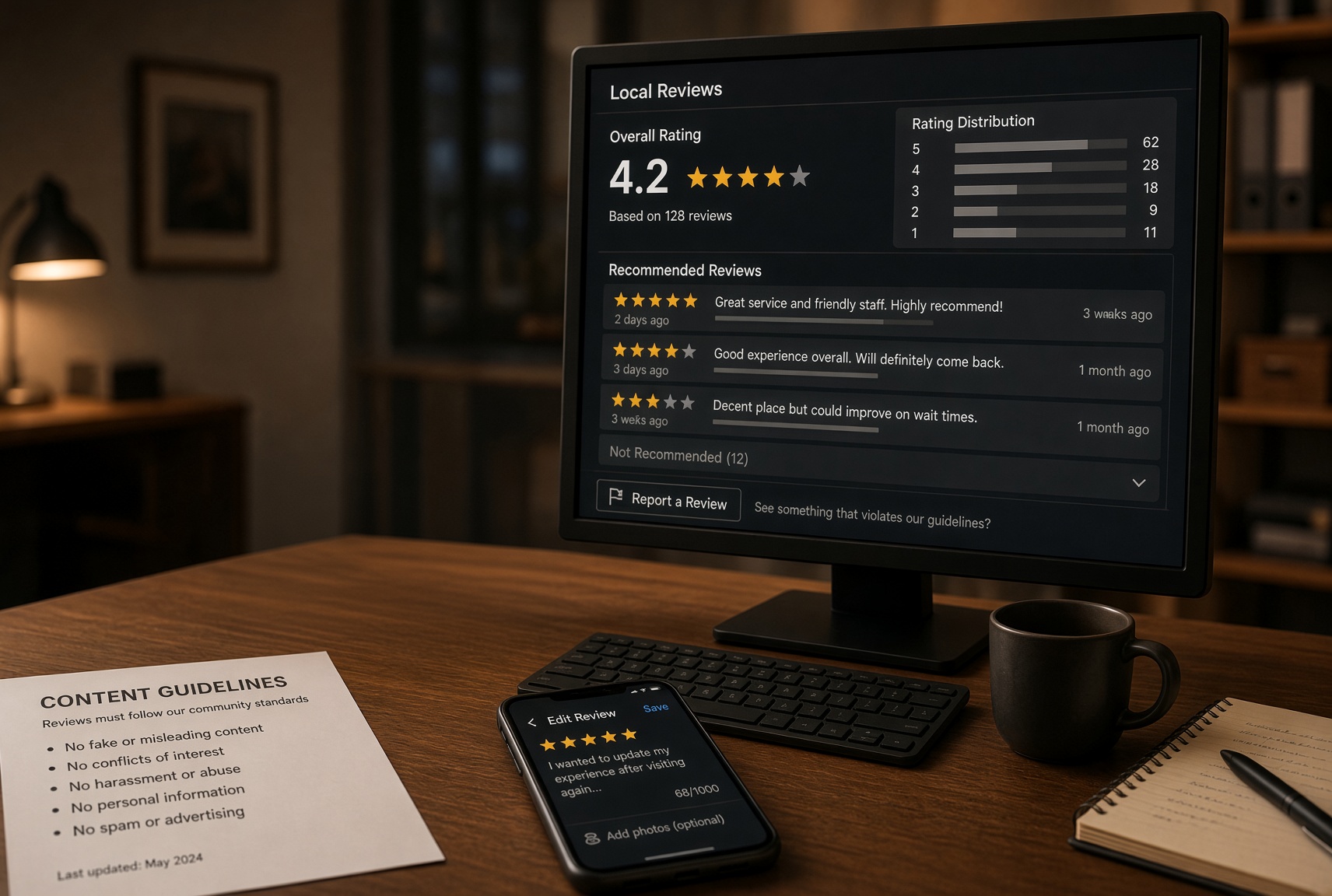
Facebook removes a review, which it calls a Recommendation, only when it breaks Meta’s Community Standards or is not about the business. It does not remove reviews for being negative or wrong. What Facebook does give a business, and no other major platform does, is a switch that hides every review on the Page at once.
That switch is why Facebook reviews are the easiest of the major platforms to deal with and the easiest to deal with badly. A business can make a hostile review disappear from its Page in thirty seconds, along with every good review it has ever received and the rating in the search snippet, and Meta will not object. Whether that is a good trade depends on what the reviews were doing for the business, and the answer for most is that it is not. Meanwhile the actual removal route, reporting a Recommendation for a Community Standards breach, is mostly automated, mostly declined, and mostly misunderstood.
This guide covers how Recommendations work and where they show, what Meta will and will not take down, the report process and what happens after, the setting that hides the section and what it costs, the response tools, the fake-review rules that now apply to businesses, the legal position, and the removal services selling either the report button or the off switch.
What This Guide Covers
- How Facebook Reviews Work In 2026
- What Meta Will Remove, And What It Will Not
- Step 1: Match The Review To A Rule
- Step 2: Report The Recommendation
- Step 3: What Happens Next
- The Off Switch: Hiding Reviews Entirely
- Responding To The Review
- Fake Reviews And The FTC Rule
- How To Remove A Bad Review On Facebook When Meta Says No
- Removal Scams And Red Flags
- Frequently Asked Questions
- The Short Version
How Facebook Reviews Work In 2026
Facebook replaced star ratings with Recommendations in 2018. A visitor to a business Page is asked whether they recommend the business, yes or no, and can add text, photos and tags. The Page then shows a percentage of people who recommend it, and, on most Pages, a rating out of five carried over from the old system and updated from the yes-no answers. Recommendations appear on the Reviews tab of the Page, in the About section, in Facebook search, and, for a business with a Google Business Profile, often in the review snippets Google pulls from third-party sites.
Three things matter for removal. A Recommendation does not need any text; a bare “does not recommend” counts toward the percentage and gives you nothing to report. Recommendations are tied to a Facebook profile, which is nominally a real person under Meta’s authenticity rules but is not verified as a customer. And the Page owner has a setting that turns the whole Reviews section off, which is unique among the major platforms and is where most of this guide’s caveats live.
Meta is protected by Section 230 of the Communications Decency Act, so it cannot be sued into removing a Recommendation, and its moderation is largely automated. A report is read first by a classifier and reaches a human only when it is escalated or flagged as serious, which is why the same report can be declined in minutes on one Page and upheld a week later on another.
What Meta Will Remove, And What It Will Not
The Community Standards are the test, with one addition specific to Recommendations: a Recommendation must be about the business’s products, services or experience. Both are enforced narrowly.
|
Meta will remove
|
Meta will not remove
|
|
A Recommendation that is not about the business: a political opinion, a comment about a news story, a review of a different company, a post about an employee’s personal life
|
A negative Recommendation from a real customer about their real experience
|
|
Hate speech, harassment, bullying, threats, or sexual content
|
Harsh, sarcastic or unfair language that stays clean
|
|
Personal information: a phone number, address, ID, or private details about a person
|
The name of the owner or a manager in their public role
|
|
Spam: links, promotions, the same text across many Pages, or a Recommendation from an account that exists only to post it
|
A Recommendation that mentions a competitor by name in passing
|
|
A Recommendation from a fake account, an impersonator, or an account that breaks Meta’s authenticity rules
|
A Recommendation from a customer who was refused service or banned
|
|
Coordinated inauthentic behaviour: a brigade of Recommendations from linked accounts after a viral post
|
Several negative Recommendations from different real people in the same week
|
|
Intellectual property infringement on a valid notice
|
A Recommendation the business says is false, on the business’s word
|
|
A “does not recommend” with no text, when the profile itself is reported and removed as fake
|
A “does not recommend” with no text from a real profile
|
The first row is the one that does most of the work. Facebook Pages attract Recommendations that are really about something else: a policy the business posted about, a viral incident, a public argument, a cause. A Recommendation whose text is about the news rather than the service is off-topic under the Recommendations rule, and Meta’s reviewers will remove it when the report says so. The last row matters too: a bare “does not recommend” cannot be reported for content, but the profile behind it can be reported as fake, and a fake profile takes its Recommendations with it when it goes.
Step 1: Match The Review To A Rule
Screenshot the Recommendation with the profile name, the date, the text, any tags, and the Page URL. Then open the profile. A profile created in the last few weeks, with no friends, no photos, a stock image, or a run of Recommendations on unrelated businesses, is a fake-account report. A profile that is plainly a real person who was in your shop last Tuesday is not.
Read the text against the table. Is it about the business, or about something the business was in the news for? Does it contain a slur, a threat, or someone’s phone number? Is it the same text that appeared on three other Pages this week? Does it link somewhere? Each of those is a report Meta’s systems can assess. A Recommendation that says the service was slow, the staff were rude, and the product was poor is protected, and the sections on responding and on the off switch are where to go next.
Step 2: Report The Recommendation
From the Page, open the Reviews tab, find the Recommendation, open the three-dot menu in its top-right corner, and choose Find support or report Recommendation. The menu offers a list of reasons: not a recommendation, spam, harassment, hate speech, nudity, violence, false information, and so on. Choose the one that matches the rule you identified; “Recommendation not relevant” is the option for off-topic content, and it is the one most often upheld. Submit, and the report goes to Meta’s review systems with the Page’s identity attached.
For a fake profile, open the profile itself, use the three-dot menu, choose Find support or report, and select Fake account, with the detail of why. For a coordinated brigade after a news story, report each Recommendation as not relevant and, separately, use the Page’s support inbox in Meta Business Suite to describe the pattern, with dates and profile links. Business Suite’s Help option and the Meta Business Help Center chat, where available, are the only human channels a Page has, and a clear description of a brigade is the kind of report that gets escalated.
Keep every report short. There is no free-text field worth writing an essay in, and the classifier reads the category before anything else. Do not report the same Recommendation repeatedly under different reasons; repeated reports from one Page are down-weighted.
Step 3: What Happens Next
Meta does not hide a Recommendation while a report is open and does not commit to a timeline. Automated decisions come back within minutes to a day, through the Support Inbox on the Page; escalated reports take days to a couple of weeks. The outcomes are two: the content was removed, or it was found not to violate the standards. The second is the usual answer for anything that is not clearly off-topic, spam, hate speech or a fake account.
A declined report can be appealed once, from the Support Inbox, and the appeal is where a human is most likely to look. Say in one or two sentences which standard applies and why, and quote the words. After the appeal, the route is closed for that Recommendation, and it is staying unless the profile behind it is later removed.
The Off Switch: Hiding Reviews Entirely
Every business Page can turn its Reviews section off. In the current Pages experience the path is: switch into the Page, open Settings and privacy, then Settings, then Privacy, then Page and tagging, and turn off the option that allows others to view and leave Recommendations on the Page. Older interfaces reach the same switch through Page Settings and Templates and Tabs. The change is immediate: the Reviews tab disappears, the rating disappears from the Page header, no one can leave a new Recommendation, and the existing ones are hidden but not deleted. Turn the switch back on and everything returns, including the Recommendation you turned it off to hide. It is worth being precise about what this costs, because it is the most common thing businesses do and the one they most often regret.
|
What turning reviews off does
|
What it costs
|
|
Hides every Recommendation, good and bad, immediately
|
Every positive Recommendation the business has collected disappears with it
|
|
Removes the rating and the percentage from the Page and from Facebook search
|
Removes the social proof from the Page a prospective customer sees, and from the snippet Google may show
|
|
Stops new Recommendations, so a brigade has nowhere to land
|
Stops the flow of new positive reviews that would have diluted the bad one
|
|
Can be reversed at any time
|
Reversal brings the bad Recommendation back, so the switch solves nothing permanently
|
|
Costs nothing and needs no approval
|
Signals to a visitor who looks that the business hides its reviews
|
The right use of the switch is temporary and specific: a viral incident is sending hundreds of people to leave “does not recommend” with no text, the reports are not keeping up, and the section needs to go dark for a fortnight while it passes. Turn it off, report the worst of what landed, wait for the accounts to be cleaned up, and turn it back on. The wrong use is to hide one real customer’s bad review by throwing away everything else, permanently, which is what most businesses that flip the switch end up doing.
Responding To The Review
A Page can reply publicly to any Recommendation from the Reviews tab, and can message the reviewer privately from the same place. A calm reply is what the next visitor reads, and on Facebook, where the reviewer’s friends see their Recommendation in their feeds, it also reaches the reviewer’s network.
Write it for the visitor. Thank them, acknowledge what they described without disputing every detail, say what has changed or what you would like to do, and invite them to message the Page. Keep it short, keep it to one reply, and do not argue in the comments underneath, where other people can join in. Do not identify the reviewer beyond their Facebook name, do not reveal what you know about them from your records, and do not accuse them of lying. A private message offering to make it right is often the better first move, because a reviewer who is satisfied will change a “does not recommend” to a “recommends” on their own, which is the only legitimate way that happens.
What you cannot do is ask them to change or remove it, or offer anything for doing so. That is a violation of Meta’s rules against incentivised content and, since October 2024, of the FTC’s Consumer Reviews and Testimonials Rule.
Fake Reviews And The FTC Rule
Facebook is the main marketplace for bought reviews aimed at other platforms, and Meta has been under pressure to act: the UK’s Competition and Markets Authority secured commitments from Meta in 2020 and 2021 to detect and remove groups trading fake reviews, and Yelp, Amazon and others report hundreds of such groups to Meta each year. Meta’s own rules prohibit fake accounts, coordinated inauthentic behaviour, and incentivised or misleading content, and it removes billions of fake accounts a year. The FTC rule, in force since 21 October 2024, makes it unlawful to write or buy fake reviews, to pay for reviews conditioned on sentiment, to post insider reviews without disclosure, and to suppress reviews with groundless legal threats or intimidation, with civil penalties above $50,000 per violation.
For a business the consequences are the same as everywhere else, with one Facebook-specific addition. Reviews from staff, family and friends are insider reviews under the FTC rule and are especially easy to spot on Facebook, where the reviewer’s connection to the Page’s admins is visible. A business whose “recommends” all come from people who like the owner’s personal profile is one screenshot away from a problem.
How To Remove A Bad Review On Facebook When Meta Says No
A Recommendation from a real person that survives a report and an appeal is staying, and there are four things left to do.
The first is volume. Facebook, unlike Yelp, does not object to a business asking customers to leave a Recommendation, and the FTC permits it so long as the ask is even and not conditioned on sentiment. A Page with three hundred Recommendations absorbs one “does not recommend” that would sink a Page with ten. Ask every customer the same way, with a link to the Reviews tab, and never only the happy ones.
The second is to fix the thing the Recommendation describes, and to say so in the reply. A run of complaints about the same problem is information, and a Page that visibly acted on it reads better than one with a spotless record.
The third is defamation against the reviewer, which is real but narrow. The Recommendation has to contain a provably false statement of fact rather than opinion, the harm has to be measurable, and you need to identify the person, which on Facebook is often possible from the profile itself. Anti-SLAPP statutes in more than thirty states shift costs to the plaintiff if the claim fails, and a business suing a customer over a Facebook review is a story that travels on Facebook. It is a route for a Recommendation that says the restaurant gave the reviewer food poisoning when the health department says otherwise, not for one that says the food was bad.
The fourth is search. A Facebook rating rarely ranks on its own for a business name, but it feeds the review snippets that Google and other aggregators show, so a poor Facebook percentage can appear next to the business in results a customer never associated with Facebook. Building out the Google Business Profile, the website, and the other review platforms so that Facebook is one signal among many is the suppression project, and for a local business it is three to six months of work.
Removal Scams And Red Flags
Search for Facebook review removal and the first page is services promising guaranteed deletion. Their tools are the report button, which is free, and the off switch, which is free, and their pitch depends on the business not knowing that.
|
The pitch
|
What it really means
|
|
“Guaranteed Facebook review removal”
|
Nobody outside Meta can guarantee this.
|
|
“We have contacts at Meta”
|
Meta’s moderation is automated and its human review is not reachable by vendors.
|
|
“Removal in 24 hours”
|
Only automated removals for clear violations move that fast, and the off switch, which hides everything and removes nothing
|
|
“We will get the reviewer to remove it”
|
Any contact asking for removal is a violation attributed to your Page, and a Facebook user will screenshot it
|
|
“We will bury it with new Recommendations”
|
Bought Recommendations come from fake accounts, Meta removes those accounts in bulk, and the Page is left with the bad review and a pattern of removed content
|
|
“Mass reporting takes it down”
|
Meta down-weights repeated reports, and a Page found organising them can lose the Page
|
A legitimate firm will tell you which rule it intends to report under, that it cannot promise an outcome, that it will not contact the reviewer, that it will not turn your reviews off without a specific reason and a date to turn them back on, and that its real work is on responses, review flow and the search results around the business. If the answer to every question is “removal”, keep your money.
When You Need Someone To Run It
A Recommendation about a news story or from a fake profile is a five-minute report. A viral brigade of hundreds, a competitor running fake accounts against you, a defamatory Recommendation worth a legal opinion, or a search results page that needs rebuilding around a rating that is staying is a different job. The firms that handle this properly are in ReVerb’s lists of the leading reputation management firms in 2026 and the top reputation management companies for content removal and suppression in 2026. Ask each one the questions above, and ask specifically whether they would turn your reviews off and why, because the answer tells you whether they understand what the switch costs.
Frequently Asked Questions
Can You Delete A Review On Facebook?
Not as the business. A Page can report a Recommendation that breaks Meta’s Community Standards or is not about the business, and Meta decides. A Page can also turn its Reviews section off, which hides every Recommendation but deletes none of them.
How To Delete A Review On Facebook You Wrote Yourself
The only person who can delete a Recommendation is the person who posted it. From your own profile, open the Activity log, filter to Reviews or Recommendations, find the entry and choose Delete, or open the business Page’s Reviews tab, find your Recommendation and use its three-dot menu. It disappears from the Page immediately and the Page’s percentage updates.
How Do I Report A Facebook Review?
On the Page’s Reviews tab, open the three-dot menu on the Recommendation and choose Find support or report Recommendation, then the reason. For off-topic content choose that it is not a recommendation or not relevant. For a fake profile, report the profile itself as a fake account.
How Long Does Facebook Take To Remove A Review?
Automated decisions come back within minutes to a day through the Page’s Support Inbox. Escalated reports and appeals take days to a couple of weeks. The Recommendation stays visible throughout.
How To Turn Off Reviews On Facebook
Switch into the Page, open Settings and privacy, then Settings, then Privacy, then Page and tagging, and turn off the option allowing others to view and leave Recommendations. The section, the rating and every Recommendation are hidden immediately and return if you turn it back on.
Does Turning Off Reviews Delete Them?
No. It hides the Reviews section and the rating and blocks new Recommendations. The existing ones, good and bad, come back the moment the setting is turned on again.
Can I Remove A “Does Not Recommend” With No Text?
Not for content, since there is none to report. If the profile behind it is fake, report the profile; a removed account takes its Recommendations with it. If the profile is a real person, it stays.
Can I Ask A Customer To Change Their Facebook Review?
No. Asking a reviewer to remove or change a Recommendation, with or without an offer, breaks Meta’s rules and the FTC’s review rule. Reply, offer privately to make it right, and let them decide.
Can I Sue Facebook Over A Review?
No. Section 230 protects Meta. You can sue the reviewer for defamation over a provably false statement of fact, and on Facebook the reviewer is usually identifiable, but anti-SLAPP laws make a weak claim expensive and the case will be discussed on Facebook.
Can I Ask Customers For Facebook Recommendations?
Yes. Meta does not prohibit it, and the FTC permits it so long as you ask everyone the same way, offer nothing for it, and do not ask for a positive one specifically.
Will A Removal Service Get My Facebook Review Removed?
A service can file the same report you can or flip the same switch. If the Recommendation breaks no rule, no service can remove it, and one that contacts the reviewer or buys Recommendations to bury it will cost you more than the review did.
The Short Version
Read the Recommendation against Meta’s rules: off-topic, hate speech or threats, personal information, spam, a fake profile, or part of a brigade are reportable, and a real customer’s bad experience is not. Report it from the Reviews tab under the matching reason, report a fake profile as a profile, appeal once if declined, and expect minutes to weeks with the review visible throughout. Use the off switch only for a brigade in progress, with a date to turn it back on. For a Recommendation that is staying, reply once for the next visitor, offer privately to make it right with no strings, ask every customer for a Recommendation, fix what the reviews keep saying, and build out the other places a customer will find you.
Do not ask anyone to remove a review, do not offer anything for it, do not buy Recommendations, and do not hide ten years of good reviews to bury one bad one.