
Pallyy Review 2026: The Per-Client Social Media Scheduler Built For Agencies
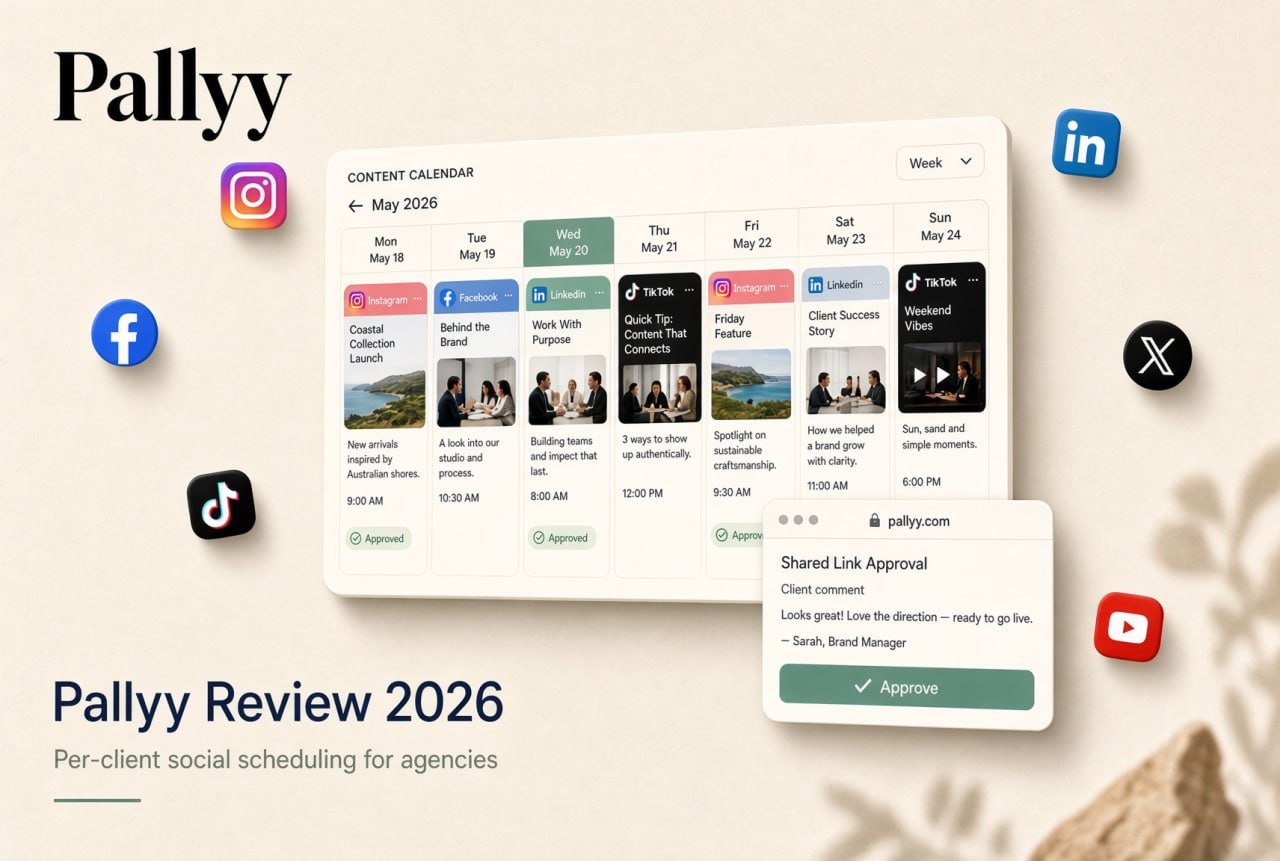
An Australian social media scheduler that charges per client rather than per channel. Ideal for freelancers and small agencies juggling several brands.
Pallyy At A Glance
| Detail | Pallyy |
|---|---|
| Best for | Social media agencies, freelance social media managers, multi-location brands |
| Founded | 2019, New South Wales, Australia |
| Networks | Instagram, Facebook, LinkedIn, TikTok, Pinterest, Google Business Profile, YouTube, X, Threads, Bluesky |
| Pricing model | Per client (social set), not per channel |
| Starting price | Free plan; Pro from $25/month ($20 billed yearly) |
| Free trial | 14 days on every paid plan |
| Standout feature | Clients approve posts from a shared link, no account or seat needed |
| User rating | 4.7/5 across 81 reviews on Capterra, GetApp and Software Advice |
| Our rating | 4.6/5 |
What Is Pallyy?
Pallyy is a browser-based social media management platform for planning, approving, publishing and reporting on organic social content. Founder Tim Bennetto taught himself to code and launched the product in 2019 as ShareMyInsights, an Instagram analytics tool. Customer requests pushed it toward scheduling, and once it supported more networks he renamed it Pallyy.
The company is bootstrapped, has never raised outside funding, and is still run from Australia. That matters more than it sounds: Pallyy’s pricing and roadmap are shaped by the small agencies and freelancers who pay for it, not by an enterprise sales team.
Who Pallyy Is Built For
Pallyy is openly designed around client work. The core users are:
- Social media agencies handling publishing, approvals and reporting for a roster of clients
- Freelance social media managers running content for several brands without a team
- Multi-location businesses such as restaurant groups, clinics and franchises that want each location kept separate
- In-house marketing teams coordinating posts and replies across several profiles
- Small business owners and creators scheduling their own content, often on the free plan
If you manage one brand and simply want to queue posts, Pallyy works fine, but its real advantages show up once you have three or more clients.
Key Features
Social Sets: One Client, One Workspace
Everything in Pallyy is organized around the social set. Each client or location gets its own set holding up to 11 connected accounts, with its own calendar, inbox and analytics. Your team switches between clients inside one login instead of juggling passwords, and nothing crosses over between brands. Team access is granted per set, so a freelancer you bring in for one client sees only that client.
Content Calendar And Publishing
Each set has a drag-and-drop calendar showing every channel. You write a post once, tailor the caption per network, and Pallyy publishes it automatically through each platform’s official API. That includes Instagram Reels, carousels and Stories, with no reminder notifications or manual posting steps. Useful extras include:
- Queue scheduling and saved posting times
- Instagram grid preview, first comment, collaborators, product and location tags
- Hashtag lists, post labels and cloned posts
- Alt text on images
- Google Calendar import and recurring calendar notes for campaign planning
Client Approvals
This is Pallyy’s strongest selling point. You share a client’s calendar as a link, and the client previews posts, comments and approves or rejects each one without creating an account or using a paid seat. An approvals page shows every post still waiting on sign-off and what stage it is at, and approved posts go out on schedule automatically. Post history and internal comments keep the back-and-forth in one place instead of scattered across email.
Many competitors charge extra seats for clients or reserve approvals for higher tiers. Pallyy includes approvals from the $25 Pro plan up.
Analytics And Client Reports
Pallyy tracks performance for Instagram, Facebook and LinkedIn, with five years of analytics retention on paid plans. Agency and Scale plans add custom per-client reports that export as PDFs, which covers the month-end reporting most retainers require. Instagram competitor tracking lets you benchmark up to 10 competitors.
Social Inbox
Paid plans include a shared inbox for Instagram DMs and comments, Facebook messages, comments and reviews, LinkedIn comments, TikTok comments and Google reviews. Filters, labels, user assignment and bulk actions make it workable for a small team splitting community management across clients.
Link In Bio
A branded bio link page with custom slugs, link buttons, an Instagram grid linked to posts, click insights and the option to hide Pallyy branding. It is enough to replace a separate link-in-bio subscription for most clients.
AI Captions, API And MCP Server
The post composer can generate caption ideas with AI. Every paid plan also includes a REST API for scheduling posts and importing media, and Pallyy offers an MCP server that connects AI assistants such as Claude, ChatGPT or Cursor so you can schedule posts and manage notes in plain language. That is unusual at this price point and useful for agencies building automated content workflows.
Pallyy Pricing In 2026
Pallyy prices by social set (one client or brand) instead of by connected profile. All prices are in USD.
| Plan | Monthly | Billed yearly | Social sets | Users | Key inclusions |
|---|---|---|---|---|---|
| Free | $0 | $0 | 1 | 1 | 15 scheduled image posts a month, 30 days of analytics |
| Pro | $25 | $20/mo | 1 (+$10/mo each extra) | 1 | Unlimited posts, approvals, inbox, analytics, link in bio, AI captions, API |
| Agency | $99 | $79/mo | 10 (+$10/mo each extra) | 3 (+$10/mo each extra) | Everything in Pro plus custom reports, report export and shared sets |
| Scale | $199 | $165/mo | 30 | 10 | Everything in Agency, custom pricing beyond 30 sets or 10 users |
Every paid plan comes with a 14-day free trial (card required, nothing charged if you cancel during the trial), and eligible charities and nonprofits get 50% off. You can cancel anytime and keep access until the end of the billing period.
What That Looks Like In Practice
| Scenario | Pallyy setup | Monthly cost |
|---|---|---|
| Freelancer with 3 clients | Pro plus 2 extra sets | $45 |
| Small agency with 10 clients and 3 staff | Agency | $99 ($79 yearly) |
| Agency with 14 clients and 4 staff | Agency plus 4 sets and 1 user | $149 |
| Restaurant group with 25 locations | Scale | $199 ($165 yearly) |
Because a client posting to Instagram, Facebook, TikTok and LinkedIn still counts as one set, the cost does not climb every time a client adds a channel. For agencies whose clients are active on four or more networks, that is the biggest practical difference from per-channel schedulers.
Pros And Cons
| Pros | Cons |
|---|---|
| Per-client pricing that stays predictable as clients add channels | No paid ads management |
| Client approvals by shared link with no client seat | No social listening or enterprise governance |
| Publishes to 10 networks through official APIs, including Reels and Stories | X, Pinterest, YouTube, Threads and Bluesky are publishing only (no inbox or analytics) |
| Approvals, inbox and link in bio included from the $25 plan | Custom PDF reports require the Agency plan |
| API and MCP server on every paid plan | Facebook supports pages only, not personal profiles or groups |
| Generous free plan with no card required | Free plan is limited to image posts |
Limitations To Know Before You Buy
Pallyy is deliberately focused. It manages organic social content and does not run paid campaigns, so you will still need Meta Ads Manager or a separate ads tool. It is not a listening platform either, which means brand monitoring across the wider web sits outside its scope. Analytics and inbox coverage is strongest on Instagram, Facebook and LinkedIn; the newer and smaller networks are supported for publishing only. Pro plans also cannot add extra users, so a two-person team needs the Agency plan.
None of these are unusual at this price, but they are the questions to settle before migrating a client roster.
What Users Say
Pallyy averages 4.7 out of 5 across 81 reviews on Capterra, GetApp and Software Advice, with ease of use and customer support both scoring 4.8. Reviewers most often praise the calendar, how easy it is to schedule across several accounts, the pricing and responsive support. Agency customers highlight internal and external comments and client approvals as the features that changed their workflow, and several mention moving from pricier platforms without losing any part of their process.
Our Verdict: Is Pallyy Worth It?
For freelancers and agencies managing somewhere between three and thirty brands, Pallyy is one of the easiest recommendations in social scheduling. The per-client pricing is genuinely cheaper than per-channel models once clients post to several networks, and link-based approvals remove the most tedious part of client work. The API and MCP server are a bonus few competitors offer at this level.
Choose something else if you need paid ads management, social listening or enterprise governance, or if most of your clients live on X, YouTube or Pinterest and need analytics there. For everyone else, the free plan and 14-day trial make it low risk to test with a real client.
| Category | Score |
|---|---|
| Ease of use | 4.8/5 |
| Features | 4.5/5 |
| Value for money | 4.8/5 |
| Agency and client workflow | 4.8/5 |
| Analytics and reporting | 4.2/5 |
| Overall | 4.6/5 |
Frequently Asked Questions
Is Pallyy free?
Yes. The free plan covers one social set, one user and 15 scheduled image posts a month with no credit card. Video, carousels, approvals, the inbox and link in bio need a paid plan.
How much does Pallyy cost?
Pro is $25 a month ($20 billed yearly) for one social set, with extra sets at $10 each. Agency is $99 a month ($79 yearly) for 10 sets and 3 users, and Scale is $199 a month ($165 yearly) for 30 sets and 10 users.
Do clients need a Pallyy account to approve posts?
No. Clients review, comment on and approve posts through a shared calendar link. Seats are only needed for teammates who create and schedule content.
Which platforms does Pallyy support?
Instagram, Facebook, LinkedIn, TikTok, Pinterest, Google Business Profile, YouTube, X, Threads and Bluesky.
Does Pallyy post automatically to Instagram?
Yes. Pallyy publishes through Instagram’s official API, including Reels, carousels and Stories, so posts go live at the scheduled time without a phone notification.
Is Pallyy good for agencies?
It is built primarily for agencies. Per-client social sets, per-set team permissions, link-based approvals and exportable client reports cover the core agency workflow.
Where is Pallyy based?
Pallyy Pty Ltd is based in New South Wales, Australia, and has been bootstrapped since its founding in 2019.
The Short Version
Pallyy is an affordable, agency-first social media scheduler that charges per client instead of per channel, lets clients approve posts from a link, and publishes to ten networks automatically. It skips ads management and social listening, but for freelancers and small to mid-sized agencies it delivers most of what the expensive platforms do for a fraction of the price. Try Pallyy free.