How To Delete A Crunchyroll Account Permanently In 2026
Josh Walker
Freelance writer
21.09.2026
Cancel your membership first, then sign in to Crunchyroll, open the account deactivation page, pick a reason, enter your password, and click Deactivate now.
Crunchyroll will not delete an account while a paid membership is still active, so the cancellation is a required first step rather than a suggestion. The deletion itself is permanent and cannot be reversed, by you or by support.
What goes with it is everything tied to the account: your watchlist, watch history, queue, crunchylists, comments, forum activity and any store or Game Vault entitlements. There is no export and no transfer to another account.
Worth pausing on that, because most people searching for this want something narrower. If your goal is to stop the charges, cancelling alone does that and costs you nothing. Deleting is for when you want the account itself gone.
An active subscription blocks deletion, so this is step zero. Where you cancel depends on who is billing you, and the answer is on your most recent receipt.
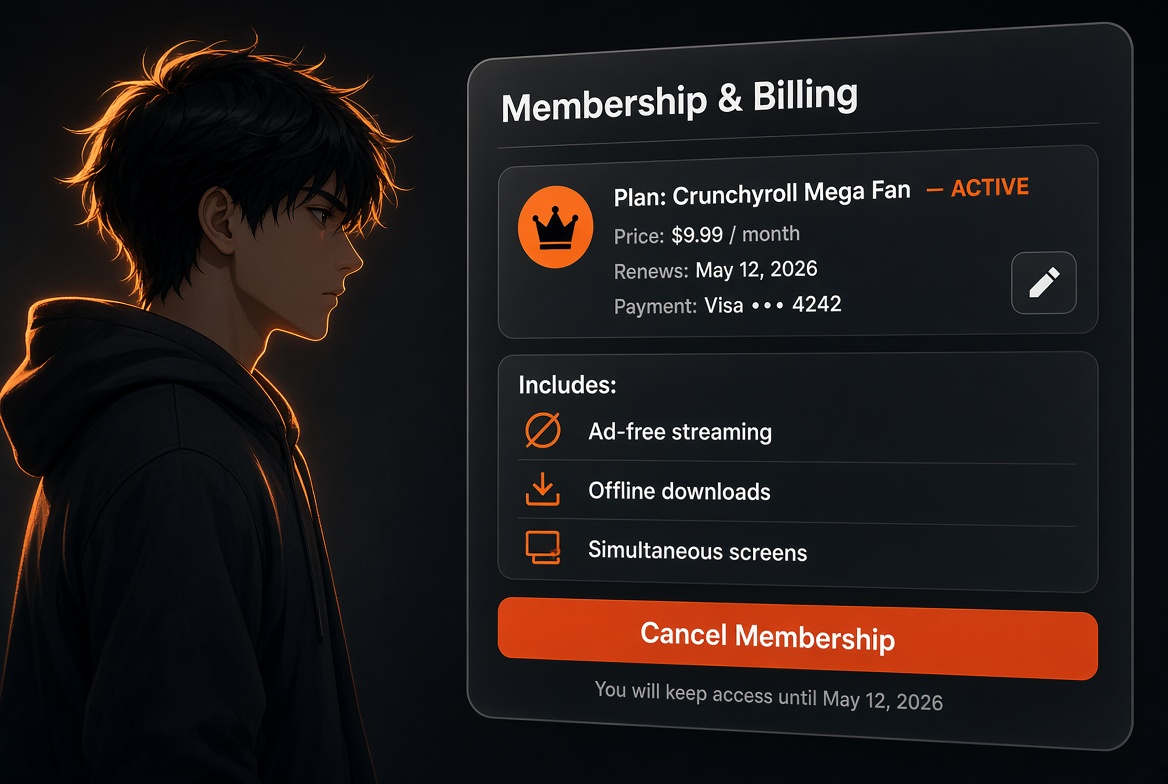
If Crunchyroll bills you directly: sign in at crunchyroll.com, click your profile picture, open Settings, then Membership Info, then Cancel Subscription, and click through to the final confirmation. If Apple, Google Play, Roku, Amazon or PlayStation bills you, cancel at that platform instead, because nothing inside Crunchyroll will stop their charge. Our guide to cancelling a Crunchyroll membership covers every route.
One decision to make before you go further. Cancelling leaves you with premium access until the end of the period you already paid for. Deleting the account immediately throws that remaining time away, and Crunchyroll does not refund it. If you have three weeks left, either use them first or accept losing them.
How To Delete A Crunchyroll Account
Confirm the membership is cancelled. Membership Info should show an end date rather than a renewal date. Deletion will not proceed otherwise.
Sign in at crunchyroll.com in a browser and go to the account deactivation page in your account settings.
Select a reason for leaving and add detail if you want to. This is a survey, not a test.
Enter your password to confirm it is really you.
Click Deactivate now.
Confirm in the pop-up. The warning is explicit that this cannot be undone. Once you confirm, the account is gone for good.
Take a screenshot of the confirmation. If a charge somehow appears afterwards, that is your evidence, and without an account you will have no dashboard to point at.
What You Permanently Lose
What goes
Recoverable?
Notes
Watchlist, queue and crunchylists
No
Screenshot or write down anything you want to rebuild elsewhere
Watch history and progress
No
Episode positions across every series are lost
Remaining paid membership time
No
Not refunded. Use it before deleting or accept losing it
Comments and forum activity
No
Removed along with the profile
Game Vault entitlements
No
Tied to the account, not to you
Offline downloads
No
They stop playing once the membership ends, regardless of deletion
Your username
No
Not guaranteed to be released or reusable
Nothing can be transferred to a new account first. If you plan to come back later under a different email, you start from zero.
If You Cannot Sign In
The deactivation page needs your password, so a lost login blocks the whole thing. Try account recovery first through the normal password reset on the email the receipts go to.
If that fails, or you are handling the account of someone who has died, contact Crunchyroll support through the help centre, select Membership as the issue, and put account deletion in the subject line. Expect to prove the connection to the account, usually with the billing email and payment details.
If you are in a region with statutory data rights, such as the EU, UK or California, you can also make a data deletion request under that legislation. That is a different process from account deactivation and is the better route if your concern is personal data rather than the account itself.
The Alternatives That Usually Solve It Better
Your actual reason
The better fix
You want the charges to stop
Cancel the membership. The account costs nothing to keep and your watchlist survives
The 2026 price rise made it too expensive
Drop to the Fan tier, or take a promotional annual plan. Every tier has the same catalogue
You want the emails to stop
Turn off marketing email in notification settings, or unsubscribe from the footer of one
You do not want people seeing your profile
Adjust your profile privacy settings rather than destroying the account
You want Crunchyroll off your phone
Delete the app. The account and membership are untouched, so cancel separately if you also want the billing stopped
You want your personal data removed
Make a data request under GDPR, UK GDPR or CCPA, which is a separate process from deactivation
You are worried about a card being stored
Cancel, then remove the saved payment method from your account settings
The one thing none of these covers is genuinely wanting to be gone. If that is the case, delete it. Just do it in the right order, and after the remaining paid time has been used.
The membership is still active, or was cancelled at Crunchyroll while a platform subscription runs elsewhere
Cancel wherever the receipt came from, confirm Membership Info shows an end date, then retry
Cannot find the deactivation page
Signed in on the app rather than the web, or looking in the wrong settings section
Use crunchyroll.com in a browser and open your account settings
Password not accepted
Signed up through Google, Apple or Facebook, so no Crunchyroll password exists
Set a password through the reset flow first, then return to deactivation
Cannot sign in at all
Account under an older email address
Search your inboxes for a Crunchyroll receipt to find the right address, then reset
Still receiving emails after deletion
Marketing lists can lag, or a second account exists
Unsubscribe from the email footer and check whether another account uses that address
Frequently Asked Questions
How Do I Delete My Crunchyroll Account?
Cancel your membership first, then sign in at crunchyroll.com, open the account deactivation page, choose a reason, enter your password, click Deactivate now and confirm in the pop-up. It cannot be undone afterwards.
Do I Have To Cancel Before Deleting My Crunchyroll Account?
Yes. Crunchyroll will not delete an account with an active membership attached, so cancellation is a required first step.
Can A Deleted Crunchyroll Account Be Recovered?
No. The confirmation warns explicitly that it cannot be cancelled or reversed. Your watchlist, history and everything else on the account go with it.
Do I Lose Remaining Paid Time If I Delete My Account?
Yes, and it is not refunded. Cancelling leaves you with access until the end of the period you paid for, so use that time before deleting unless you would rather be done immediately.
Is Deleting My Account The Same As Cancelling?
No. Cancelling stops the charges and keeps the account, your watchlist and your history. Deleting destroys all of it permanently and requires cancelling first anyway.
Can I Delete My Crunchyroll Account From The App?
No. Use crunchyroll.com in a browser, including on a phone. Deleting the app itself removes nothing and does not stop billing.
What If I Signed Up With Google Or Apple?
The deactivation page asks for a Crunchyroll password, which a social signup may not have. Set one through the password reset flow first, then return to the deactivation page.
How Do I Delete An Account I Cannot Log Into?
Contact Crunchyroll support through the help centre, choose Membership as the issue, and put account deletion in the subject. You will need to prove your connection to the account, normally with the billing email and payment details.
The Short Version
Cancel the membership first, at whichever platform actually bills you, and confirm Membership Info shows an end date. Then sign in on the web, open the deactivation page, pick a reason, enter your password and confirm. It is permanent, nothing transfers to a new account, and remaining paid time is forfeited rather than refunded.
If the real problem is money rather than the account, cancelling alone stops every charge and keeps your watchlist for free. Deletion is only worth it when you actually want to be gone.