How To Cancel Hulu In 2026: Disney+, Live TV And Partner Billing
David Roberts
Founder and CEO
04.10.2026
Short answer: sign in at hulu.com, open your Account page, select Cancel under Your Subscription, skip past the pause offer and confirm with Cancel Subscription. Do it by 11:59 PM Eastern on the day before your renewal date. If you bought a Disney+ bundle, cancel in your Disney+ account instead, and if Apple, Google, Roku, Amazon, Spotify or Verizon bills you, cancel with them.
Cancelling Hulu used to be one button on one website. In 2026 it depends on how you got Hulu in the first place. Disney has folded the Hulu library into the Disney+ app, sells Hulu mostly as part of bundles, and lets a long list of partners bill for it. Cancel in the wrong place and nothing happens, which is why “I cancelled Hulu and still got charged” is one of the most common complaints about the service.
This guide covers every route: the Hulu website, Disney+ bundles, Hulu + Live TV, iPhone, Android, Roku, Amazon, Spotify and Verizon billing, add-ons, the pause option, free trials, what happens afterwards and when a refund is possible.
First, Check Who Is Billing You
Hulu can only cancel a subscription that Hulu bills. Look at the charge on your bank or card statement before you do anything else.
What your statement says
Who bills you
Where to cancel
HULU
Hulu directly
Account page at hulu.com
DISNEY PLUS or a Disney bundle charge
Disney+ (bundle bought on Disney+)
Account, then Subscription, in Disney+
APPLE.COM/BILL
Apple App Store
iPhone Settings, then Subscriptions
GOOGLE *Hulu
Google Play
Play Store, then Payments and subscriptions
ROKU
Roku
Roku device or my.roku.com
AMAZON or AMZN Digital
Amazon
Amazon account, then Memberships and Subscriptions
SPOTIFY
Spotify Premium Student
Your Spotify account
A line on your Verizon bill
Verizon perk
Verizon account or app
HBO MAX
HBO Max (bundle bought there)
Your HBO Max account
If you are still unsure, sign in at hulu.com and open the Account page. A subscription billed by someone else shows the partner’s name instead of a normal Cancel link.
Disney raised Hulu prices again on 23 September 2026. New subscribers paid the new prices from that day, and existing subscribers see them from their next monthly bill. The ad-free plan went up by $2.50 a month and the plan with ads by 50 cents, while the cheapest Disney+ and Hulu bundle stayed the same.
Plan
Old US price
US price from 23 Sep 2026
Renews
Hulu (With Ads)
$11.99 a month
$12.49 a month
Monthly until cancelled
Hulu Premium (No Ads)
$18.99 a month
$21.49 a month
Monthly until cancelled
Disney+ and Hulu bundle, with ads
$12.99 a month
$12.99 a month
Monthly until cancelled
Disney+ and Hulu bundle, no ads
$19.99 a month
$21.99 a month
Monthly until cancelled
Hulu + Live TV, with ads
$89.99 a month
Check your Account page
Monthly until cancelled
Hulu + Live TV, no ads
$99.99 a month
Check your Account page
Monthly until cancelled
Hulu + Live TV includes Disney+ and ESPN with its channels, and its price was not part of the September announcement, so treat the figure on your own Account page as the one that counts. Bundles with HBO Max and ESPN have their own prices, which have also moved several times since 2025. Students can get Hulu (With Ads) at a heavy discount after verification, and Spotify Premium Student includes it.
Every plan auto-renews. Disney emails subscribers about price increases in advance, and its subscriber agreement says that if you do nothing, you are charged the new price at renewal.
The Deadline That Decides Whether You Get Charged
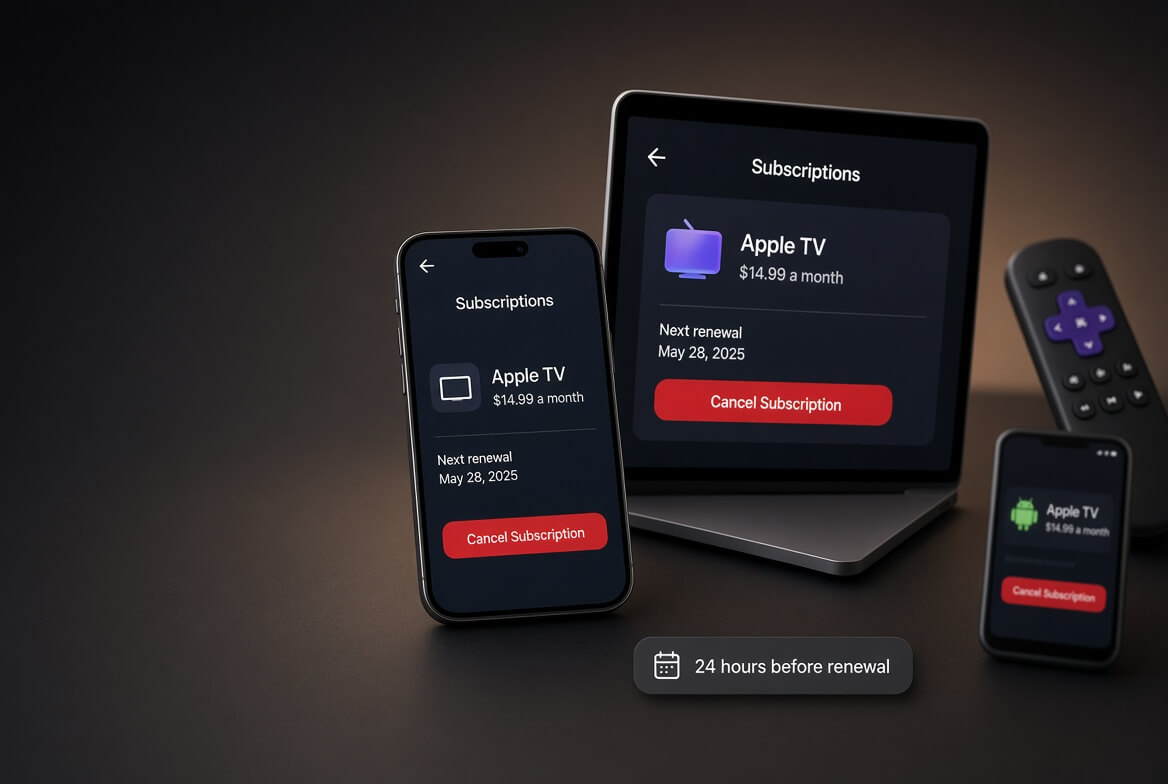
The Disney+, ESPN and Hulu Subscriber Agreement, effective 5 February 2026, says you must cancel by 11:59 PM Eastern Time on the day before your renewal date to avoid the next charge. Cancel on the renewal day itself and you pay for another month.
Find your renewal date first. It is on the Account page at hulu.com, or under Subscription in your Disney+ account for bundles.
Convert the time zone. 11:59 PM Eastern is 8:59 PM Pacific. If you live on the West Coast or outside the US, the cutoff arrives earlier than it feels.
Partner billing follows partner rules. Apple, Google, Roku and Amazon each have their own cutoffs, so cancel at least a day or two before renewal to be safe.
Hulu Inside The Disney+ App: Where Your Account Lives Now
This is the part that trips most people up in 2026. Disney now owns all of Hulu and has been moving it into Disney+. Bundle subscribers can watch the full Hulu library inside the Disney+ app, the standalone Hulu app was pulled from Nintendo Switch in February 2026, and Disney has said Hulu + Live TV will also be integrated into Disney+. The standalone Hulu app still works on most phones, TVs and streaming sticks for now, but Disney has not committed to how long.
What matters for cancelling is not which app you watch in, but where you bought the subscription:
You signed up at hulu.com or in the Hulu app: your subscription is managed on the Hulu Account page, even if you watch everything in Disney+.
You signed up at disneyplus.com or in the Disney+ app: your Hulu access is part of a Disney+ subscription, and you cancel it in Disney+. The Hulu Account page will not show a cancel option.
Both: it is common to have a standalone Hulu plan and a Disney+ bundle that also includes Hulu. You are then paying for Hulu twice, and you can drop the standalone plan without losing any Hulu shows.
How To Cancel Hulu On The Website
This is the route for anyone billed by Hulu directly, which covers most standalone Hulu and Hulu + Live TV subscribers. Use a web browser on a computer or phone; the TV apps generally do not let you cancel.
Go to hulu.com and sign in with your MyDisney email and password.
Open your Account page. Select your profile name or icon, then Account. You may be asked to enter your password again.
Note your renewal date under Your Subscription.
Select Cancel in the Your Subscription section.
Skip the pause offer. Hulu shows a pause option first. Select Continue to Cancel if you want to end the subscription.
Get past any retention offer. You may be offered a discount or a cheaper plan. Decline it unless you want it.
Select Cancel Subscription on the final screen.
Check for the confirmation email and reload the Account page. It should show the date your access ends, not a next billing date.
Leaving before the final Cancel Subscription button keeps you subscribed. No Cancel link means someone else bills you.
How To Cancel A Disney+ And Hulu Bundle
If you bought a Disney+ bundle on Disney+, including the Disney+, Hulu and ESPN bundles and the Disney+, Hulu and HBO Max bundle, cancel it from your Disney+ account:
Sign in at disneyplus.com in a web browser.
Select your profile, then Account.
Select your subscription under Subscription.
Select Cancel Subscription and follow the prompts to the final confirmation.
You cannot remove just Hulu from a bundle. Cancelling ends every service in it, and the same applies to pausing. If you want to keep Disney+ alone, the usual approach is to switch plans from the Subscription screen rather than cancel. Check what that screen offers before you confirm; switching from a bundle to Disney+ alone can still be cheaper than paying for both separately. Our guide to how to cancel Disney+ covers the Disney+ side in more detail.
How To Cancel Hulu + Live TV
Hulu + Live TV cancels from the same Account page at hulu.com with the steps above. A few things work differently:
It ends Disney+ and ESPN too. Hulu + Live TV includes them, so cancelling the plan ends that access at the same time.
You can drop to on-demand Hulu instead. If you only want to stop paying for live channels, use Manage Plan on the Account page to switch to Hulu (With Ads) or Hulu Premium. That keeps your account, profiles and Hulu library.
Your recordings go. Cloud DVR recordings are tied to the Live TV plan and are not available once it ends.
Live TV add-ons end with it. Sports, Entertainment, Español and Unlimited Screens add-ons stop when the base plan stops.
If you are leaving live TV for another live service, our guides to cancelling YouTube TV and cancelling Fubo explain how those trials and deadlines work.
How To Cancel Hulu On iPhone When Apple Bills You
If you subscribed through an in-app purchase on an iPhone, iPad or Apple TV, Apple holds the subscription. The tell is a charge reading APPLE.COM/BILL.
Open Settings on your iPhone or iPad.
Tap your name at the top, then Subscriptions.
Select Hulu, or Disney+ if you bought a bundle there.
Tap Cancel Subscription and confirm.
If you signed up at hulu.com and simply watch on an iPhone, Apple is not involved, and you cancel on the website. The Hulu app on iPhone is only a viewer for directly billed accounts.
How To Cancel Hulu On Android Through Google Play
Open the Google Play Store app.
Tap your profile icon, then Payments and subscriptions, then Subscriptions.
Select Hulu.
Tap Cancel subscription and follow the prompts.
Access continues to the end of the paid period. If Hulu is not listed, Google does not bill you.
How To Cancel Hulu On Roku
Only follow these steps if Roku bills you. Watching Hulu on a Roku does not make it a Roku subscription.
On the device: press Home, highlight the Hulu channel, press the star button on the remote, choose Manage subscription, then Cancel subscription.
On the web: sign in at my.roku.com, open Manage your subscriptions, find Hulu and select Unsubscribe.
Keep the confirmation email Roku sends.
Do not just remove the Hulu channel from your Roku home screen. That deletes the app but leaves the subscription running.
How To Cancel Hulu On Amazon Or Fire TV
Sign in to your Amazon account on the website.
Go to Account, then Memberships and Subscriptions.
Find Hulu and select Cancel subscription.
Confirm, and check for the email from Amazon.
If Hulu is not in that list, Amazon does not bill you.
Hulu Through Spotify, Verizon Or HBO Max
Partner plans have no Cancel button at Hulu, because the partner is the one charging you.
Spotify Premium Student. Spotify’s student plan includes Hulu (With Ads) for $6.99 a month. Spotify says you lose Hulu if you cancel or switch to another Spotify plan such as Duo or Family. There is no way to cancel only the Hulu part. See our guide to cancelling Spotify Premium.
Verizon. Verizon sells the Disney+, Hulu and ESPN bundle (with ads) as a $12 monthly perk on eligible mobile and home internet plans. Remove it in your Verizon account or app. Verizon notes that if you had a Disney-billed subscription before adding the perk, that earlier subscription resumes when the perk ends, so check your Hulu or Disney+ account afterwards.
HBO Max. The Disney+, Hulu and HBO Max bundle can be bought from any of the three services. Cancel it with whichever one billed you.
Cancelling Hulu Add-Ons Without Cancelling Hulu
Add-ons are billed on top of your plan and are managed separately. Premium channel add-ons such as STARZ, and Live TV add-ons such as Unlimited Screens, Sports and Español, all renew on their own.
Sign in at hulu.com and open your Account page.
Under Your Subscription, select Manage Add-ons (it may sit under Manage Plan).
Untick the add-on you want to drop.
Review the changes and confirm.
Cancelling the base plan ends its add-ons, but removing an add-on leaves your Hulu plan running.
Pause Hulu Instead Of Cancelling
Hulu lets eligible subscribers pause for up to 12 weeks, and the option appears as the first step of the cancel flow. A pause starts at your next billing date, so you keep watching until then.
Billing restarts automatically. The subscriber agreement says that if you do not cancel before a pause ends, billing resumes on its own, at whatever the price is then. Put the restart date in your calendar.
Not everyone can pause. Pausing is generally not available on annual plans, subscriptions billed by a partner, gift card subscriptions or promotional pricing.
Bundles pause as a whole. Pausing a bundle pauses every service in it.
A pause suits seasonal viewing. If you will not remember the restart date, cancel instead; you can rejoin any time.
How To Cancel A Hulu Free Trial
Hulu free trial offers change often. Standalone Hulu has offered 30 day trials, while Hulu + Live TV trials have been as short as three days, and some bundles carry no trial at all. Whatever the length, the trial converts to a paid plan automatically. The subscriber agreement says the first payment is taken as soon as the trial ends and that Hulu does not have to warn you first.
Check the trial end date on your Account page the day you sign up.
Cancel with the same steps as a paid plan, from wherever the trial was started.
Do it by 11:59 PM Eastern the day before the trial ends.
Live TV trials are the riskiest, because a three day window ends quickly and the first charge is close to $90.
What Happens After You Cancel Hulu
Item
What happens after you cancel
Streaming access
Continues until the end of the period you paid for
Disney+ and ESPN on Hulu + Live TV
End with the Live TV plan
Cloud DVR recordings
No longer available once Live TV access ends
Add-ons
End with the base plan
Profiles and watch history
Kept on your account for when you return
MyDisney login
Still works for other Disney services
Cancel Hulu Or Delete Your Hulu Account?
Searches for how to delete a Hulu account usually come from people who only need to cancel. They are separate actions.
Cancel Hulu
Delete Hulu account
Stops the Hulu charge
Yes
Yes, but cancel first
Keeps profiles and watch history
Yes
No
Effect on Disney+ and ESPN
None, unless they are in your plan
Can affect them if you delete your MyDisney account
Reversible
Yes, rejoin any time
No
Where to do it
Account page at hulu.com
Hulu’s privacy request form, or MyDisney account settings
Because Hulu now uses a MyDisney login, deleting the login itself can remove access to Disney+, ESPN and other Disney accounts on the same email. If you only want Hulu’s data removed, use the privacy request option in Hulu’s help centre and say that is what you want. Always cancel and wait for the confirmation email first, so a partner-billed plan does not keep charging an account you can no longer reach.
Can You Get A Hulu Refund?
Usually not. The subscriber agreement says that, except as required by law, Disney does not refund or credit partially used subscription periods. Cancelling midway through a month does not get you money back; you simply keep access until the period ends. A few situations are different:
Case by case refunds. The agreement keeps the right to give refunds or credits at Disney’s discretion. If you were charged for a renewal you clearly tried to stop, or a trial converted while you were trying to cancel, contact Hulu support and ask.
You never authorised the charge. Report it to Hulu support straight away and change your password, since unknown charges often mean someone else is using your login.
A partner billed you. Apple, Google, Roku, Amazon, Spotify and Verizon handle their own refunds under their own rules. Apple and Google both have online refund request forms.
Your local law gives you more. Outside the US, consumer law can override the no-refund rule. Check the rules where you live.
Treat a chargeback with your bank as a last resort; support usually fixes a genuine error faster when you send your cancellation confirmation email.
Still Charged After Cancelling? Troubleshooting
Symptom
Likely cause
Fix
No Cancel link on the Hulu Account page
Disney+, Apple, Google, Roku, Amazon or a partner bills you
Cancel where the billing lives (see the table at the top)
Account page still shows a next billing date
You left before the final Cancel Subscription screen
Repeat the steps until the page shows an end date
Charged on the renewal day
You cancelled after 11:59 PM Eastern the day before
Cancel now so it does not renew again, and ask support about a courtesy refund
Two Hulu charges each month
A standalone plan and a bundle, or two MyDisney accounts
Sign in to each account and to Disney+, and cancel the duplicate
Charged again after a pause
The pause ended and billing resumed
Cancel before the pause end date next time
Hulu came back after removing a Verizon perk
An older Disney-billed subscription resumed
Cancel it at hulu.com or disneyplus.com
Lost Hulu but still paying Spotify
You changed or kept a Spotify plan without Hulu
Manage the plan in your Spotify account
If none of these explains it, contact Hulu support from the help centre and include the date you cancelled and a copy of the confirmation email.
Frequently Asked Questions
How do I cancel my Hulu subscription?
Sign in at hulu.com, open your Account page, select Cancel under Your Subscription, choose Continue to Cancel past the pause offer and confirm with Cancel Subscription.
How do I cancel my Hulu account if there is no cancel button?
Someone other than Hulu bills you. Check your statement and cancel through Disney+, Apple, Google, Roku, Amazon, Spotify, Verizon or HBO Max.
Can I cancel Hulu in the Disney+ app?
Only if your Hulu access is part of a subscription you bought from Disney+. Then cancel it from Account, then Subscription, at disneyplus.com. A Hulu subscription bought at hulu.com is cancelled there.
When do I need to cancel to avoid the next charge?
By 11:59 PM Eastern Time on the day before your renewal date.
Did Hulu raise its price in 2026?
Yes. From 23 September 2026, Hulu (With Ads) went from $11.99 to $12.49 a month and Hulu Premium from $18.99 to $21.49. Existing subscribers see the new price from their next monthly bill.
Can I cancel Hulu but keep Disney+?
Not inside a bundle. You cancel the bundle or switch your plan to Disney+ alone from the Disney+ Subscription screen.
Can I pause Hulu instead?
Yes, for up to 12 weeks on eligible plans, from the start of the cancel flow. Billing restarts automatically when the pause ends.
Will I get a refund if I cancel Hulu mid-month?
No. Hulu does not refund partial months, but you keep access until the end of the period you paid for.
Does deleting the Hulu app cancel my subscription?
No. Removing the app from a phone, TV or Roku leaves billing running. You have to cancel the subscription itself.
More Cancellation Guides
For the full picture, start with our guide on how to cancel subscriptions online. These cover the other streaming services people most often stack on top of Hulu:
Check your statement: HULU means hulu.com, a Disney+ charge means disneyplus.com, and APPLE, GOOGLE, ROKU, AMAZON, SPOTIFY or Verizon means cancel with them.
On hulu.com, go to Account, select Cancel under Your Subscription, then Continue to Cancel and Cancel Subscription.
For a bundle, go to Account, then Subscription, in Disney+. You cannot drop only Hulu.
Cancel by 11:59 PM Eastern the day before renewal.
Remove add-ons separately if you are keeping the base plan.
Reload the Account page and check it shows an end date, not a next billing date.